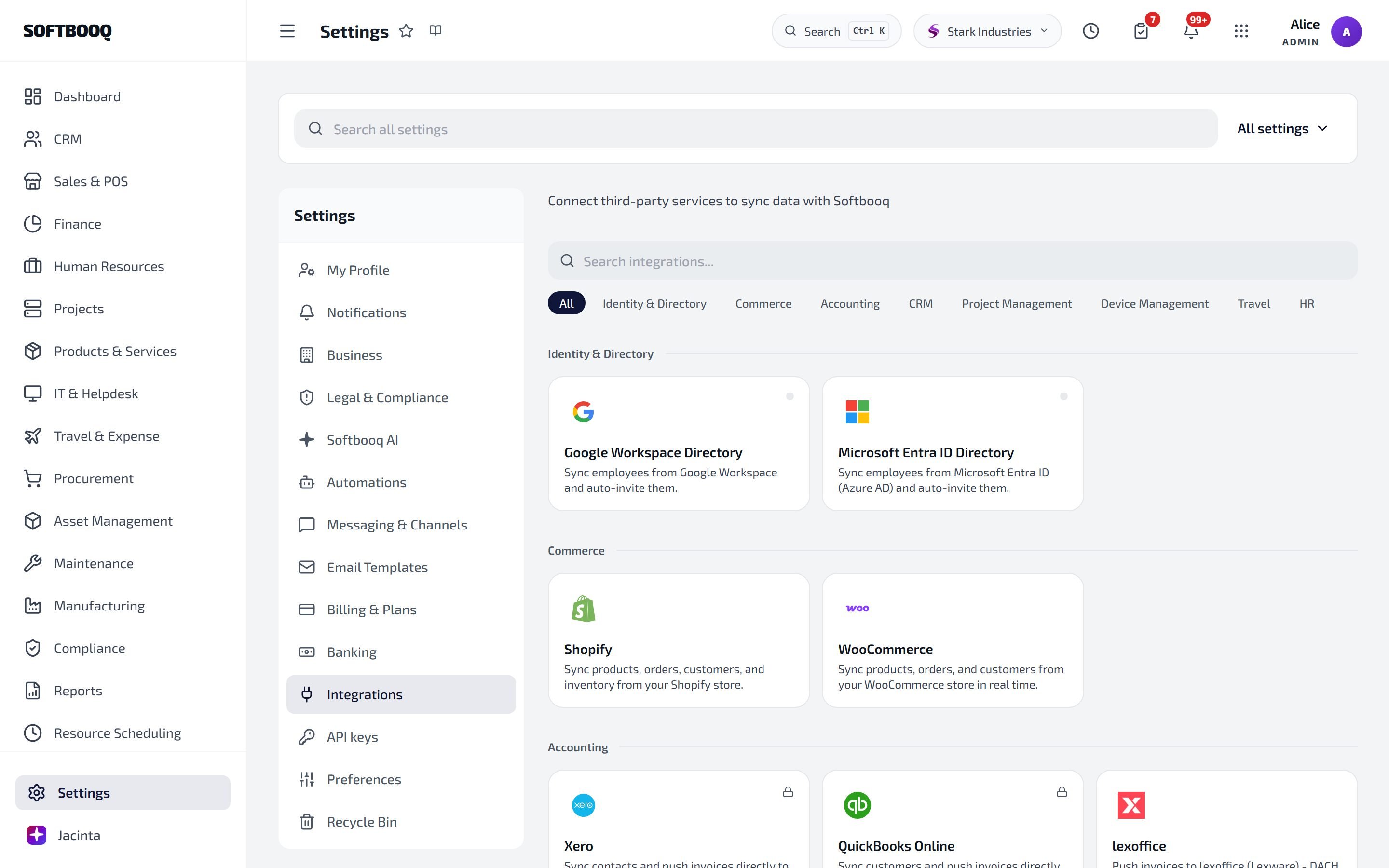
Softbooq connects to the third-party tools your business already runs on. Every integration is configured under Settings → Integrations in the ERP and operates on your live tenant data, so changes flow automatically.

Commerce & e-commerce

Shopify

Two-way sync of products, orders, customers and inventory. Full webhook coverage.

WooCommerce

Product, order and customer sync via merchant API keys (no OAuth).

Accounting & finance

Xero

Push invoices and contacts to Xero on creation. OAuth-based with bidirectional contact sync.

BYOK Accounting Tools

Push invoices to lexoffice, sevDesk, Moneybird, Pennylane, Zoho Books or DATEV. API-key based.

Bank Feeds

Live bank transactions via Enable Banking (PSD2 across the EU and UK).

Outbound Payments

Pay vendor bills in batches via Wise or Revolut. BYOK API keys.

CRM & marketing

HubSpot

Bidirectional contact sync. Nightly cron plus on-create push.

Project management

Project Tools

Sync tasks and projects with Asana, Trello, Linear, Microsoft Planner or Jira.

Confluence

Search your Atlassian knowledge base from IT Helpdesk tickets and push resolutions back to Confluence.

IT & device management

Device Management

Pull device inventory and compliance status from Microsoft Intune and Jamf into IT & Helpdesk.

Travel & communications

eSIM (Airalo)

Order international data plans from inside the Travel & Expense module. Auto-logs expenses and GL entries.

Travel Booking

Travelpayouts-powered flight, hotel and car search inside the Travel module.

Identity & directory

Admin Sync

Auto-provision users from Google Workspace or Microsoft 365. SSO and SCIM also available.

Email & messaging

Email Providers

Microsoft 365, Google Workspace, SendGrid, Mailgun, Postmark, and generic SMTP.

How integrations work

Every integration follows the same pattern:
  1. Connect under Settings → Integrations. OAuth flows redirect to the provider; key-based integrations take an API token.
  2. Choose the data direction. Most integrations support both inbound (provider to Softbooq) and outbound (Softbooq to provider). You toggle which entities sync.
  3. Run an initial backfill. Imports historical data with date-range and per-entity filters so you do not flood Softbooq with stale records.
  4. Live sync. Webhooks (where supported) keep things current within seconds. A nightly cron catches anything webhook delivery missed.
  5. Disconnect any time. Disconnect removes the access token and stops sync but does not delete data already imported.
Integration credentials are stored in the Supabase Vault, encrypted at rest. They are never visible in the UI after they are entered.

Multi-tenant safety

Every integration is scoped to a single Softbooq tenant. Data from one tenant never crosses to another. This is enforced by row-level security in the database and by tenant context resolution in every Edge Function that handles an integration callback. If you operate multiple Softbooq workspaces, each one connects its integrations independently.

Plan limits

Some integrations require a paid plan. Free trial tenants can connect email providers, project tools, and eSIM ordering; Xero, HubSpot, WooCommerce, Bank Feeds and Admin Sync require a Standard plan or above. Check the per-integration page for details.

See also

Settings

All integration toggles live under Settings → Integrations.

Subscription

Plans and which integrations each plan unlocks.

Reports

Channel performance, reconciliation and profitability draw on integration data.