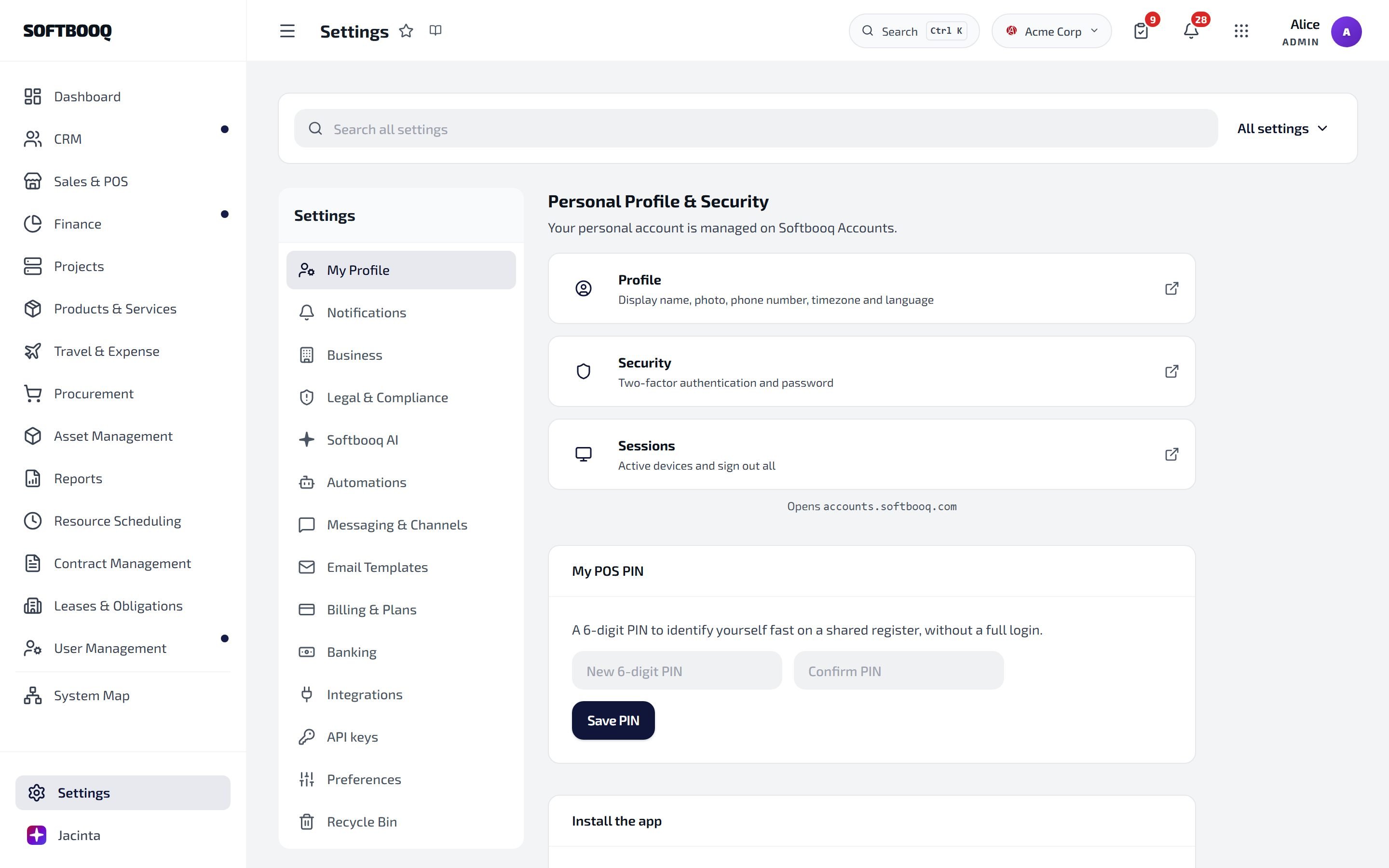
Tenant configuration, integrations, security and billing
Settings is the configuration layer for your entire Softbooq workspace. Everything from your company profile and fiscal year to email providers, payment integrations, user roles, and subscription billing is managed here.
Enter company name, registered address, VAT or tax number, default currency, and timezone. These appear on all invoices, quotes, and emails sent from Softbooq.
3
Upload your logo
Upload a PNG or SVG (recommended). Your logo appears on all outgoing documents and in the client portal header.
4
Set your fiscal year
Choose the month your accounting year starts (e.g. January for a calendar year, April for a UK tax year). This is required before you can run financial reports or post depreciation.
5
Save
Finance reports, depreciation runs, and some HR payroll calculations depend on the fiscal year being set correctly. Complete this before activating Finance or Assets.
Select from: Microsoft 365, Google Workspace, SMTP, SendGrid, Mailgun, or Postmark.
3
Authenticate
Microsoft 365 and Google Workspace use OAuth — you will be redirected to the provider’s consent screen. SendGrid, Mailgun, and Postmark use an API key. SMTP requires hostname, port, username, and password.
4
Set the from name and address
Enter the name and email address that will appear in the From field of all emails sent from Softbooq (e.g. “Softbooq Invoices” and invoices@yourdomain.com).
5
Send a test email
Click Send Test to verify the connection is working before going live. If the test email does not arrive, recheck the credentials or OAuth consent.
Choose: Admin (full access), Manager (manage team, approve requests), Employee (self-service only), Viewer (read-only), or Client (portal access only). See the Quickstart for a full role breakdown.
4
Link to an employee record (optional)
If this person is an employee in HR, link their user account to the HR employee record. This enables leave requests, payslip access, and expense submissions.
5
Send the invite
They receive an email with a secure link to set their password and access the workspace. The invite expires after 48 hours — use Resend Invite if needed.
When enabled, all users in your workspace must set up an authenticator app on their next login. Users who do not set it up within the grace period are locked out.
3
Set the grace period
Choose how many days users have to set up MFA before it becomes mandatory (recommended: 7 days).
4
Choose recovery options
Backup codes are issued automatically on enrolment (10 codes per user, single-use). Optionally, allow Admins to reset a user’s MFA via the Users & Roles page.
5
Save
Existing sessions are not disrupted immediately, users are prompted at next login.
Currently supported: Wise and Revolut for outbound payment runs and bank reconciliation. See Outbound Payments for full setup steps.
3
Connect with API credentials
Enter your Wise or Revolut API key. You can find this in your provider’s developer settings. Store the key securely, it is saved in an encrypted vault, not in plain text.
4
Test the connection
Click Test Connection to verify the credentials are valid.
5
Select the default account
If your provider account has multiple currency accounts, select the default for outbound payment runs.
Live transaction feeds via Enable Banking (PSD2 / Open Banking) bring your bank account into Softbooq for automatic reconciliation. See the dedicated Bank Feeds page for the full flow, including the 180-day consent renewal model and the auto-reconciliation engine.
Sales Channels are the lens used by Channel Performance reporting and multi-channel inventory. Each connected ecommerce integration registers its own channel automatically (Shopify, WooCommerce). You can add manual channels for in-store, B2B telephone sales, marketplaces, etc.
1
Open Settings → Sales Channels
2
Add a manual channel
Click New Channel. Give it a name (e.g. “In-Store”, “Wholesale B2B”, “Amazon Marketplace”) and an icon. Optionally set a default location and a default tax component.
3
Tag historical orders (optional)
Bulk-tag past orders to a channel using the bulk-edit action on the Sales Orders list. This makes the Channel Performance report retroactive.
4
View per-channel performance
Reports → Channel Performance gives revenue, orders, AOV per channel, with side-by-side comparison.
The current credit balance is shown at the top, with recent transactions below.
3
Buy credit packs
Click Buy Credits and pick Starter (50), Standard (250) or Power (1,000). Charged to the card on file via Stripe.
4
Set per-user caps (optional)
Under Caps, set a daily credit cap per user, a per-request cap, or restrict AI access to specific roles. See the AI Credits page for the full economics.
Filter by user, by entity type (e.g. only finance.invoice events), date range, or source IP.
3
Drill into an entry
Each row shows: who, what, when, before/after values, source IP. Entries cannot be edited or deleted.
4
Export for compliance
Click Export CSV to download a filtered set for an external auditor.
Retention follows your plan: 1 year on Standard, 3 years on Plus, 7 years on Pro. The audit log also surfaces operator impersonation events from Softbooq support, with operator email, reason and duration, see Operator Console.
See your active plan, the features included, current usage metrics (users, storage, modules), and the next billing date.
3
Upgrade
Click Change Plan → Upgrade. Select the new plan. The upgrade takes effect immediately and you are billed a Stripe-prorated amount for the remainder of the billing cycle.
4
Downgrade
Click Change Plan → Downgrade. The downgrade applies at the start of the next billing cycle, you retain current plan features until then.
5
Update billing details
Go to the Billing tab to update your payment card or billing address. Changes apply to the next billing cycle.
Mid-cycle plan changes and per-user changes are prorated automatically by Stripe. Adding a user mid-cycle charges a prorated per-user amount; removing a user issues a prorated credit on the next invoice. See Subscription for the full proration model and plan tiers.
A user's invite expired before they could accept it
Invites expire after 48 hours. Go to Settings → Users & Roles, find the user (they show as Invite Pending), and click Resend Invite. A new 48-hour invite is sent.
The test email is not arriving after connecting an email provider
Check the credentials entered — especially OAuth scope for Microsoft/Google (it must include Mail.Send permission). For SMTP, verify the port (587 for TLS, 465 for SSL) and that the server allows relaying from your IP. Also check your spam folder — test emails sometimes land there on first send.
I enabled 2FA enforcement and now a user cannot log in
If a user cannot complete the 2FA setup (e.g. they lost access to their authenticator), an Admin can temporarily disable 2FA for that user from Settings → Users & Roles → user record → Reset 2FA. The user must set it up again on next login.
I cannot change a user's role — the option is greyed out
You cannot change the role of another Admin if you are the only Admin in the workspace. Softbooq requires at least one Admin at all times. Promote another user to Admin first, then change the original user’s role.
My logo is not appearing on invoices after uploading it
Check the file format and size. PNG and SVG are recommended; JPEG is supported but may lose quality when scaled. Maximum file size is 2 MB. If the file meets these requirements, try clearing your browser cache and reloading the invoice preview.
IP allowlisting is enabled and I've locked myself out
If you are locked out due to IP allowlisting, contact Softbooq support. Identity verification is required to make changes to IP security settings outside the platform.
Can I have multiple email providers connected at the same time?
No. Only one email provider is active at a time. To switch providers, disconnect the current one and connect the new one. During the switchover, queued emails may be delayed — avoid switching during a busy sending period (e.g. end-of-month invoicing).
What is the difference between Admin and Manager roles?
Admins have access to all modules, all settings, and all data in the workspace — including billing and user management. Managers can access most operational modules and approve team requests (leave, expenses, requisitions) but cannot access billing, change roles, or modify security settings.
Can I have different settings for different departments or subsidiaries?
Settings apply workspace-wide. If you require different configurations per entity (e.g. different currencies, different fiscal years), you will need separate Softbooq workspaces. Contact support for multi-entity account options.
How is my data backed up?
Softbooq automatically backs up all workspace data daily to geographically redundant storage. Backups are retained for 30 days on Standard plans and 90 days on Plus and Pro plans. Point-in-time restore is available on Pro plans. Contact support to request a restore.
Can I export all my data if I want to leave?
Yes. Go to Settings → Data → Export All Data to download a full export of your workspace data in CSV format. This includes all modules, all records, and all documents. You can do this at any time — you are not locked in.