

What Before you file checks
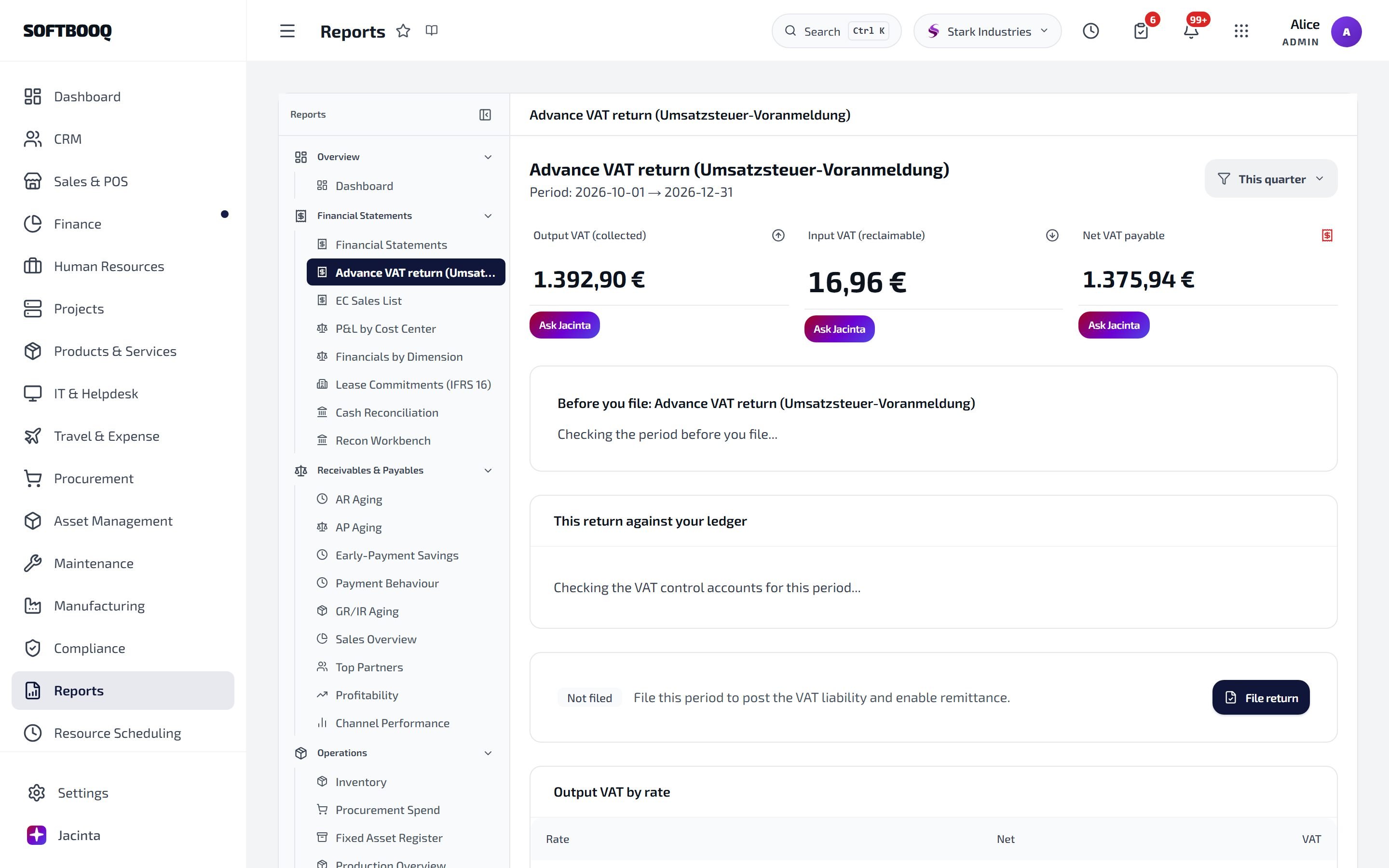
Before you file sits under the totals. Each finding links to where it is fixed.
- Documents not in your ledger yet. Invoices, supplier bills, register sales, returns or expenses in the period that never reached your accounts. Until they do, the return and your accounts will not agree.
- A rate with no tax code. Documents charge a rate that no tax code has, so the tax cannot be posted to its own account.
- A tax code whose account is missing. The tax code posts to an account that is not in your chart of accounts.
- Reverse-charge bills. A bill with no rate, so neither side is in the return, or a bill with only one side in the ledger. Both the tax owed and the tax reclaimed belong there.
- A box far off the previous period. A figure much higher or lower than last time, worth a look before filing.
This return against your ledger
Below the checks, Softbooq compares the return with the VAT in your ledger for the period. Either the two match, or it shows the return, your ledger and the difference. A difference usually comes from a journal posted straight to a VAT account, a correction or reversal that no document covers, or a document in another currency. Find it before you file. Filing and payment entries are left out of the comparison, because they clear the VAT accounts rather than add to them.Where the fixes are made
Each finding links to the screen that fixes it:- Post them in Books Health (or Review in Books Health) for documents that are missing from the ledger. See Books Health.
- Open tax settings for rates and tax codes: Settings → Business → Tax & VAT.
Set up VAT
In Settings → Business → Tax & VAT, say whether your business charges VAT/GST, whether your prices include VAT, what you can reclaim, and your Tax codes. Each rate you charge needs a tax code, and each tax code posts to an account in your chart.See also
Books Health
Missing entries and their repairs.
Reports
The rest of your reports.
Jacinta on problem screens
Plain-word explanations.