> ## Documentation Index
> Fetch the complete documentation index at: https://docs.softbooq.com/llms.txt
> Use this file to discover all available pages before exploring further.
# Closing the month
> The close checklist - what is left before you can close a month, and where each thing is fixed
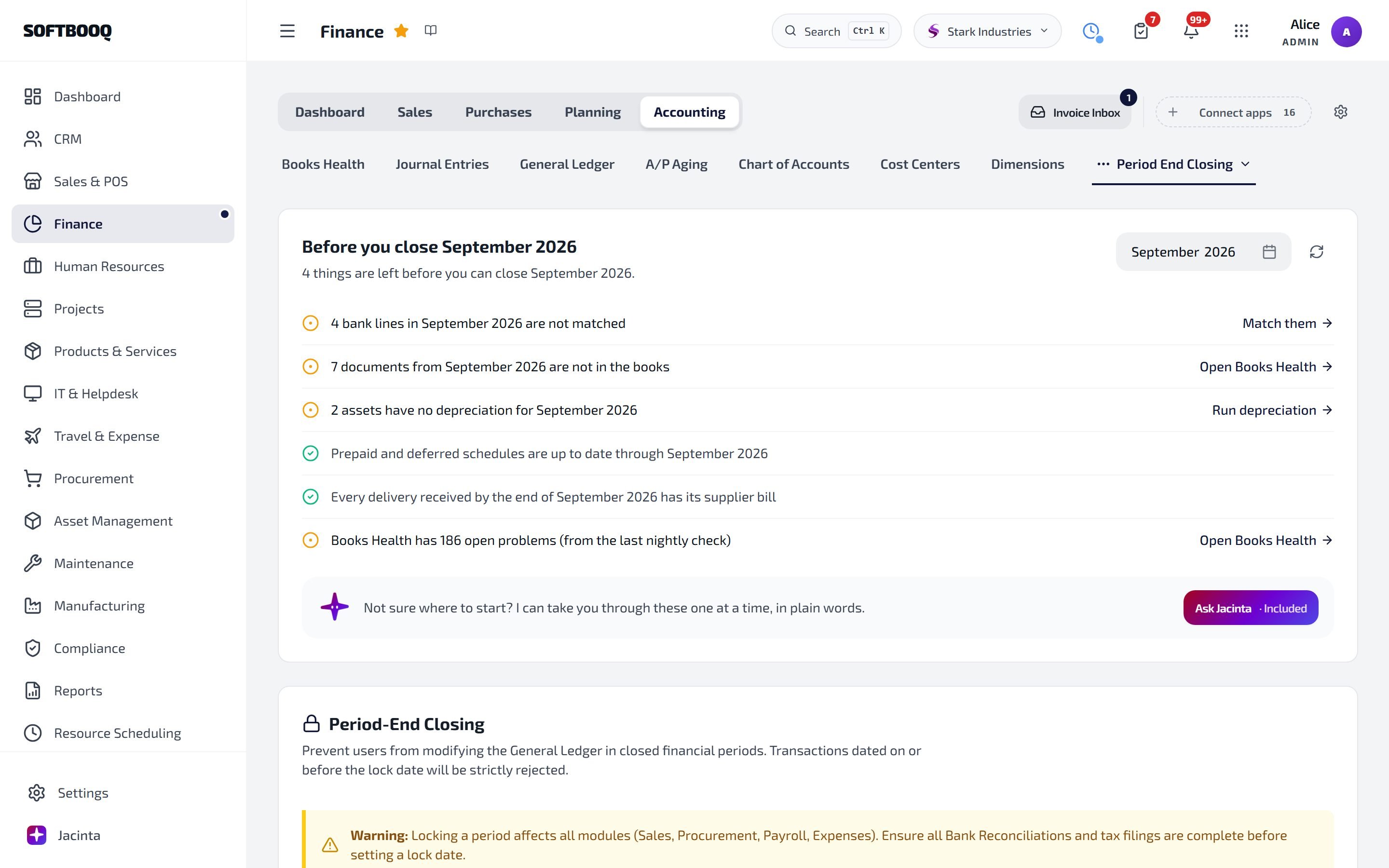
Open **Finance → Accounting → Period End Closing** and pick the month. **Before you close** lists what is still left, straight from your books: each line says how many things are open and has a button to where they are fixed.
## The checklist
 | Line | Button |
| - | - |
| Bank lines in the month that are not matched | **Match them** |
| Documents from the month that are not in the books | **Open Books Health** |
| Assets with no depreciation for the month | **Run depreciation** |
| Prepaid or deferred schedules that have not run through the month | **Open accruals** |
| Deliveries received by the end of the month with no supplier bill yet | **See the deliveries** |
| No VAT return covers the month yet | **Prepare the VAT return** |
| Open problems in Books Health (from the last nightly check) | **Open Books Health** |
When nothing is left it says so, and you can close the month. Use **Check again** after fixing something. A month that is already closed shows the checklist as it was at the close.
Not sure where to start? Choose **Ask Jacinta**: she takes you through what is left one item at a time, in plain words.
## Done for you at month end
Money in other currencies, owed to you or by you, and held in foreign-currency bank and cash accounts, is revalued at the month-end rate automatically, so your balance sheet shows what it is worth today.
## See also
Missing entries and their repairs.
Before you file.
Bank feeds and the Recon Workbench.
This documentation is built and hosted on [Mintlify](https://mintlify.com), a developer documentation platform.
| Line | Button |
| - | - |
| Bank lines in the month that are not matched | **Match them** |
| Documents from the month that are not in the books | **Open Books Health** |
| Assets with no depreciation for the month | **Run depreciation** |
| Prepaid or deferred schedules that have not run through the month | **Open accruals** |
| Deliveries received by the end of the month with no supplier bill yet | **See the deliveries** |
| No VAT return covers the month yet | **Prepare the VAT return** |
| Open problems in Books Health (from the last nightly check) | **Open Books Health** |
When nothing is left it says so, and you can close the month. Use **Check again** after fixing something. A month that is already closed shows the checklist as it was at the close.
Not sure where to start? Choose **Ask Jacinta**: she takes you through what is left one item at a time, in plain words.
## Done for you at month end
Money in other currencies, owed to you or by you, and held in foreign-currency bank and cash accounts, is revalued at the month-end rate automatically, so your balance sheet shows what it is worth today.
## See also
Missing entries and their repairs.
Before you file.
Bank feeds and the Recon Workbench.
This documentation is built and hosted on [Mintlify](https://mintlify.com), a developer documentation platform.